
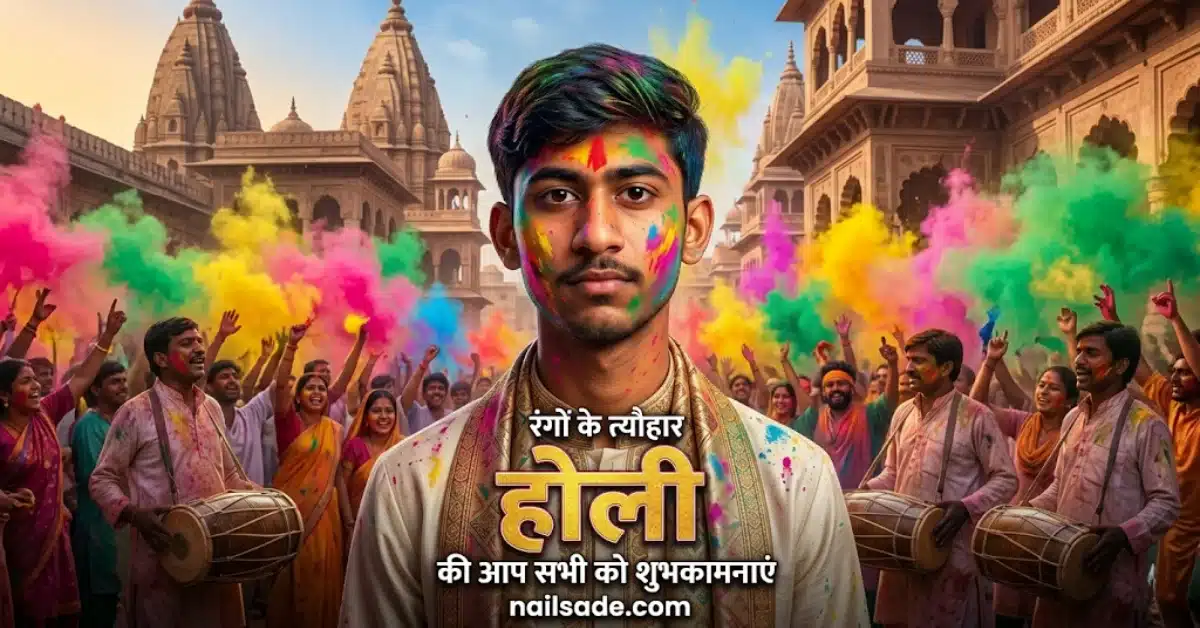
Let’s be completely honest: there is nothing more frustrating than spending hours trying to generate the perfect AI portrait, only to realize the final image looks absolutely nothing like you. You upload your best selfie, type in a masterpiece of a prompt, and the AI spits out a complete stranger. If you are tired of this, it is time to Stop Generating Strangers: 10 Ultra-Realistic AI Prompts to Lock Your Character’s Identity (2026 Guide).
As we gear up for the massive celebrations of Holi 2026, the trend of posting hyper-realistic, cinematic festival portraits from the vibrant streets of Vrindavan is completely taking over Instagram Reels and TikTok. Everyone wants that luxury, magazine-cover aesthetic. But the secret to actually going viral? Keeping your real identity completely intact.
If you want to stop the scroll and leave your followers wondering, “Wait, did they actually do a photoshoot in Vrindavan?” you need constraint-based prompt engineering.
Today, we are giving away the exact formulas. Below are 10 highly guarded, copy-paste AI prompts designed to give you flawless vertical portraits without losing your real face.
(Pro Tip: For daily viral prompts, AI art tutorials, and the latest trends, join our massive community over on our Instagram page: @promptyard_ai. We drop new, exclusive prompts every single day!)
How Do You Keep Your Face the Same in AI Portrait Generation?
To keep your face exactly the same in AI-generated photos, you must use an advanced AI model (like Gemini’s Nano Banana 2) and include strict negative constraints in your prompt. Using commanding phrases like “DO NOT change the face” and “Exact face preservation is mandatory” forces the AI engine to lock onto your source image rather than inventing a new face. To dive deeper into this technique, check out our guide to The “Identity-Lock” Blueprint: 10 Cinematic AI Prompts to Clone Yourself in Gemini (2026 Edition).
The Viral Formula: How to Generate Your Custom 9:16 Portraits
Generating a masterpiece doesn’t require a degree in computer science. Follow these four simple steps to get your cinematic Holi portrait in seconds:
- Prepare the Perfect Reference: Lighting is everything. Choose a high-resolution, front-facing photo of yourself. Avoid heavy shadows, sunglasses, or extreme angles.
- Launch Your AI Tool: Open Gemini (ensure you are utilizing the latest Nano Banana 2 model, which is currently the absolute best for face preservation and accurate Hindi text rendering).
- Upload & Command: Upload your reference photo into the chat. Then, copy and paste one of the 10 prompts below exactly as written.
- Download & Post: Save your new ultra-HD 9:16 image, slap on a trending Holi 2026 audio track, and post it! If you want to optimize your feed further, check out our list of the Best AI Prompts for Instagram Photos 2026: The Ultimate Guide to Viral, Ultra-Realistic Portraits.
The 10 Copy-Paste Cinematic Holi Prompts
Simply copy the text inside the blocks below and paste it alongside your uploaded photo. Every prompt is pre-formatted for a vertical 9:16 aspect ratio, making them instantly ready for social media.
1. The High-Fashion Traditional
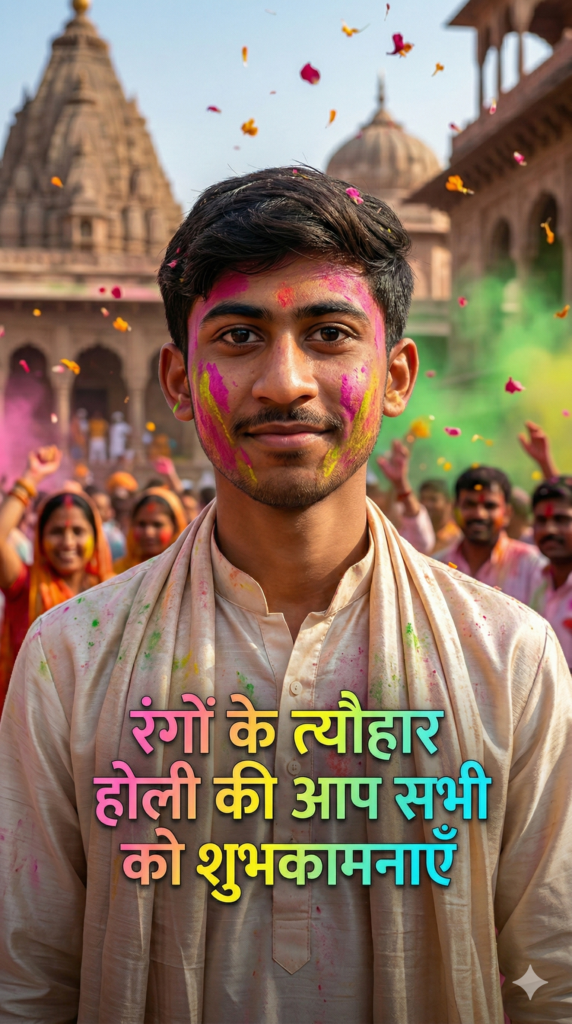
Create an ultra-realistic high-fashion editorial portrait of a man celebrating Holi 2026 in Vrindavan, Braj region. Use the uploaded photo as the base reference and DO NOT change the face, facial structure, skin tone, eyes, beard, or identity at all. Exact face preservation is mandatory. The man is wearing an elegant off-white kurta with a silk stole, lightly soaked in natural gulal colors. The background shows ancient Vrindavan temple architecture with flower petals and colors in the air. Cinematic lighting, shallow depth of field, luxury editorial magazine style, ultra-detailed skin texture. Add artistic Hindi festival text overlay in festive hand-painted Devanagari style: “रंगों के त्यौहार होली की आप सभी को शुभकामनाएँ”. Aspect ratio 9:16, Instagram Reel format, ultra HD, professional color grading.
2. The Dynamic Action Shot
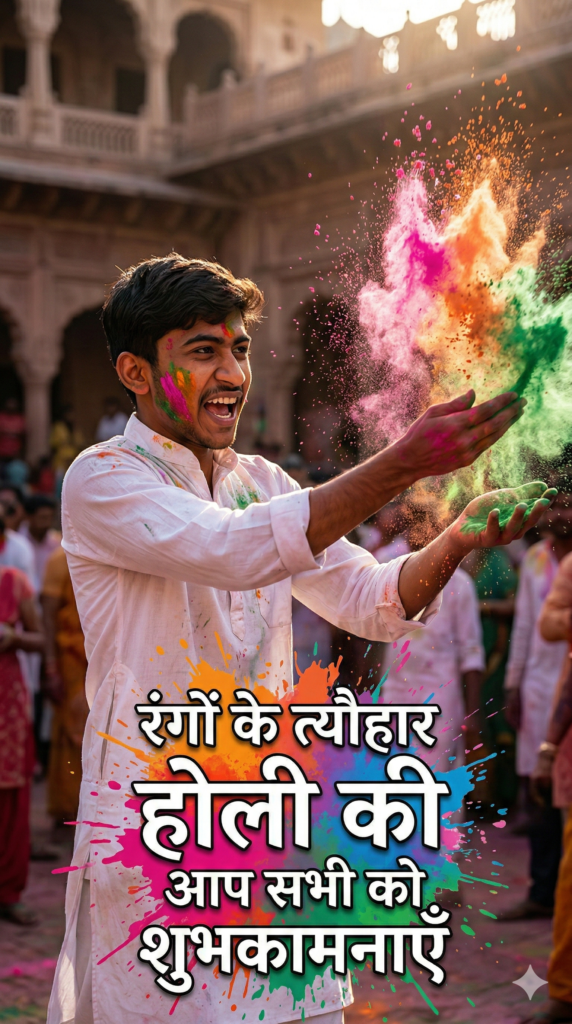
Generate a hyper-realistic cinematic action portrait of a man throwing vibrant gulal during Holi in Vrindavan. Use the uploaded image and strictly DO NOT change the face in any way — no face swap, no AI alteration. Man wearing traditional cotton kurta, sleeves rolled up, powerful masculine pose. Gulal particles frozen mid-air with dramatic sunlight. High-end editorial photography, Vogue-style realism. Add bold Hindi festive text with color-splash typography: “रंगों के त्यौहार होली की आप सभी को शुभकामनाएँ”. Vertical 9:16 frame, Instagram Reel optimized, ultra detailed.
3. The Spiritual Soulful Glow
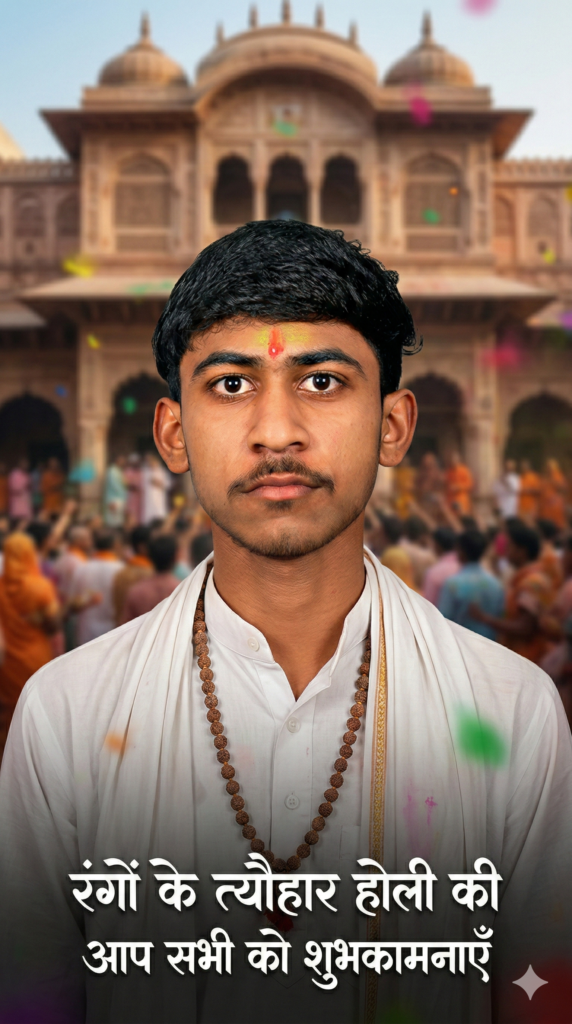
Create a realistic spiritual-editorial portrait of a man celebrating Holi 2026 in Vrindavan. Preserve the uploaded face exactly — no beautification, no changes. Man wearing white dhoti-kurta, tulsi mala, soft gulal on forehead. Background inspired by Banke Bihari temple atmosphere. Soft cinematic lighting, emotional depth, premium editorial look. Add elegant Hindi calligraphy text: “रंगों के त्यौहार होली की आप सभी को शुभकामनाएँ”. Aspect ratio 9:16, ultra-realistic, reel-ready.
4. The Luxury Designer Vibe
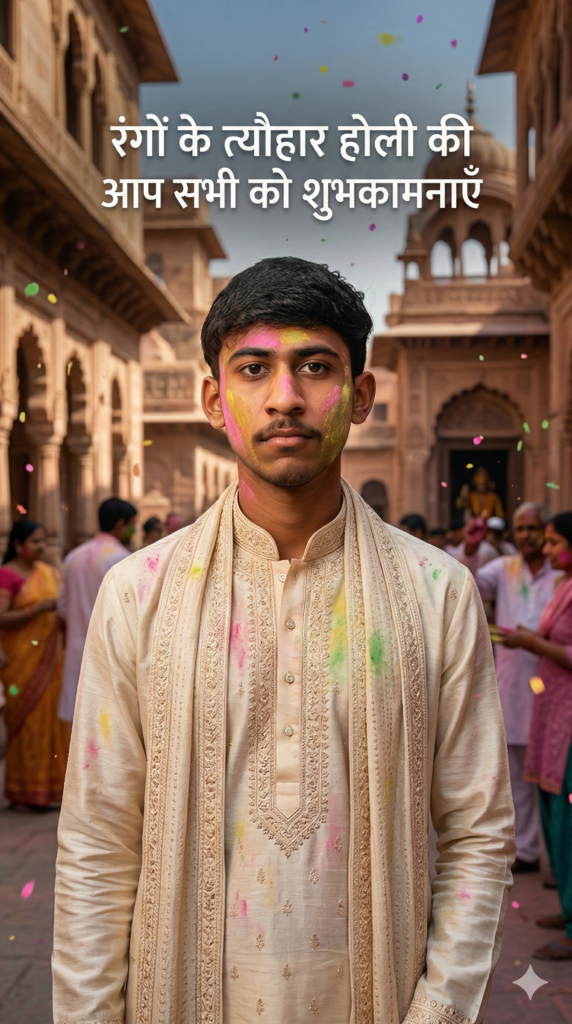
Produce a next-level luxury editorial Holi portrait of a man in Braj Vrindavan. Uploaded photo faces must remain 100% unchanged and realistic. Designer ethnic kurta with subtle embroidery, pastel gulal stains, confident fashion-model pose. Old Vrindavan streets in the background. High contrast lighting, cinematic realism, fashion magazine quality. Add modern festive Hindi typography text: “रंगों के त्यौहार होली की आप सभी को शुभकामनाएँ”. 9:16 vertical format, Instagram Reel optimized.
5. The Moody Cinematic Explosion
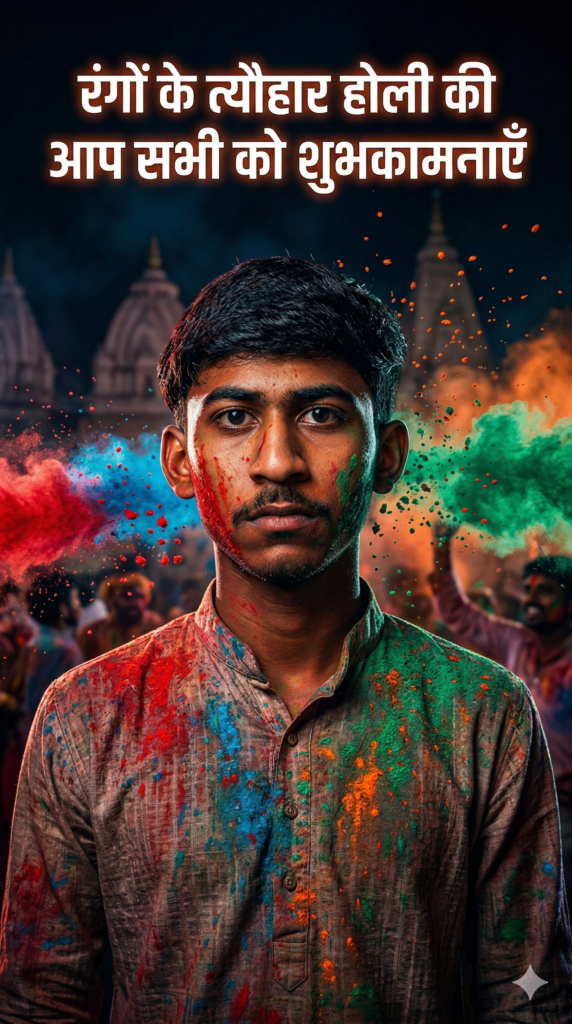
Create a dramatic cinematic Holi portrait of a man in Vrindavan. Use the uploaded image and DO NOT modify the face under any condition. Dark moody background, vibrant gulal explosion, intense masculine expression. Traditional kurta with color textures. Movie-grade lighting, shallow depth, hyper realism. Add bold glowing Hindi festival text: “रंगों के त्यौहार होली की आप सभी को शुभकामनाएँ”. Aspect ratio 9:16, ultra HD, reel-ready.
6. The Peaceful Morning Ambiance
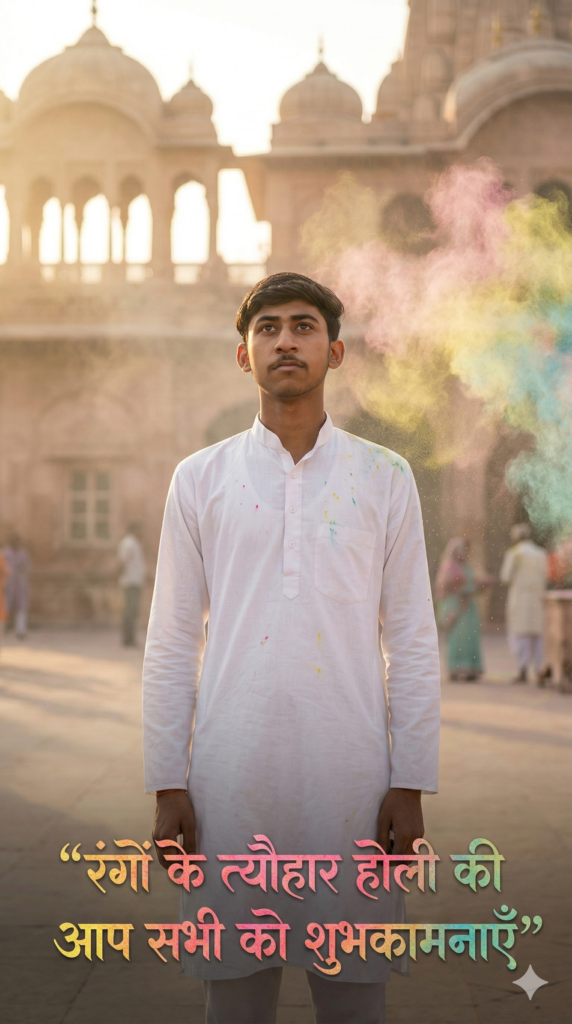
Generate a calm, soulful editorial image of a man standing in Vrindavan before Holi celebration. The face must remain exactly the same as uploaded. Minimal white ethnic outfit, soft gulal dust in air, peaceful expression. Morning light with temple ambiance. High-end editorial softness, cinematic tone. Add poetic Hindi festival text: “रंगों के त्यौहार होली की आप सभी को शुभकामनाएँ”. Vertical 9:16, Instagram Reel quality.
7. The Rugged Alpha Stance
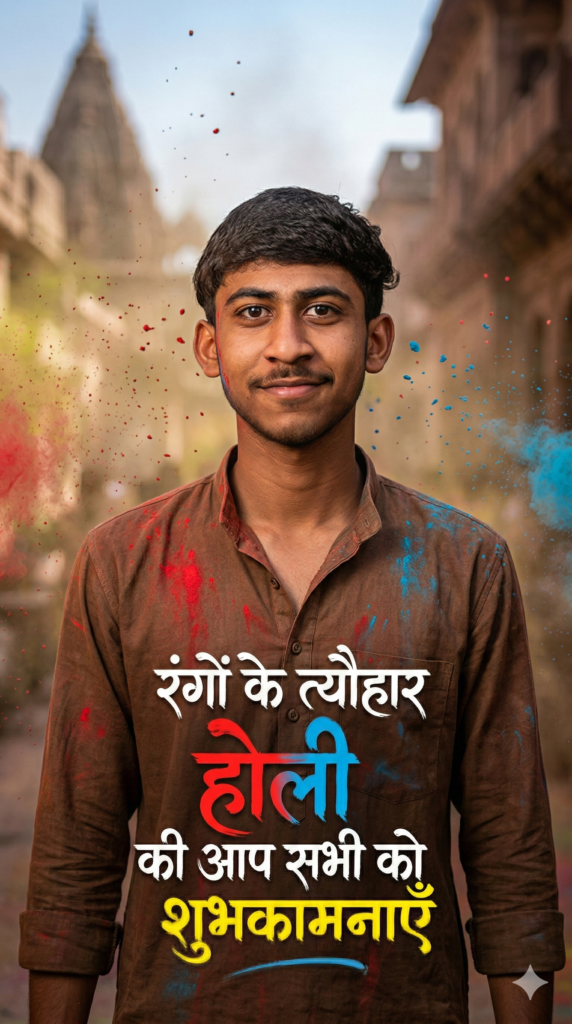
Create a powerful masculine Holi editorial portrait of a man in Braj, Vrindavan. Keep the uploaded face unchanged, realistic and natural. Rugged kurta, open collar, gulal streaks on clothes, confident alpha stance. Dusty colors flying in the background. Ultra-sharp cinematic realism, fashion editorial lighting. Add energetic Hindi hand-painted text: “रंगों के त्यौहार होली की आप তৎকালীন शुभकामनाएँ”. Aspect ratio 9:16, reel-ready.
8. The Authentic Cultural Documentary
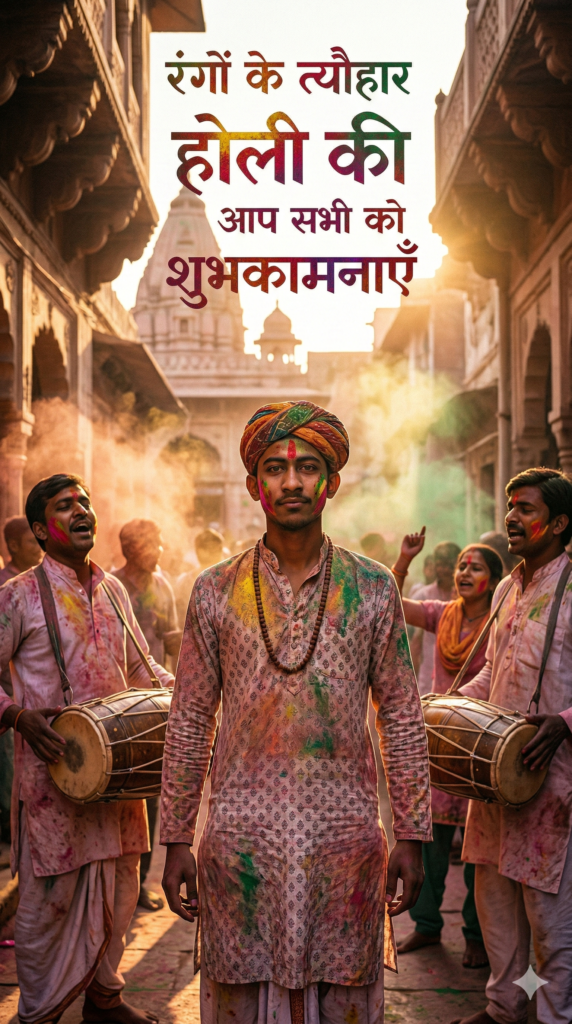
Generate an ultra-realistic cultural Holi portrait of a man in Vrindavan, Braj region. Do not alter the uploaded face at all. Traditional Braj attire with pagdi, organic gulal colors, authentic cultural vibe. Folk Holi celebration background. Documentary + editorial hybrid style, cinematic realism. Add traditional Devanagari Hindi text: “रंगों के त्यौहार होली की आप सभी को शुभकामनाएँ”. 9:16 vertical format, Instagram Reel optimized.
9. The Slow-Motion Hero Frame
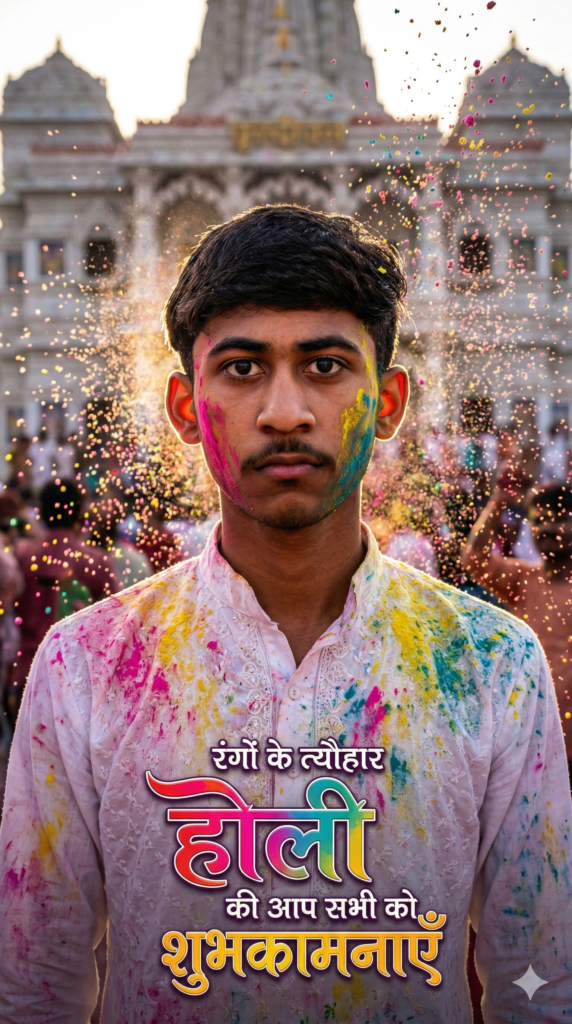
Create a cinematic slow-motion Holi portrait of a man in Vrindavan. Uploaded face must remain exactly the same — no change. Gulal bursting around the subject, dramatic backlight, expressive eyes. Modern ethnic outfit. High-end editorial realism, movie still look. Add stylish festive Hindi text: “रंगों के त्यौहार होली की आप सभी को शुभकामनाएँ”. Vertical 9:16, ultra HD quality.
10. The Magazine Cover Star
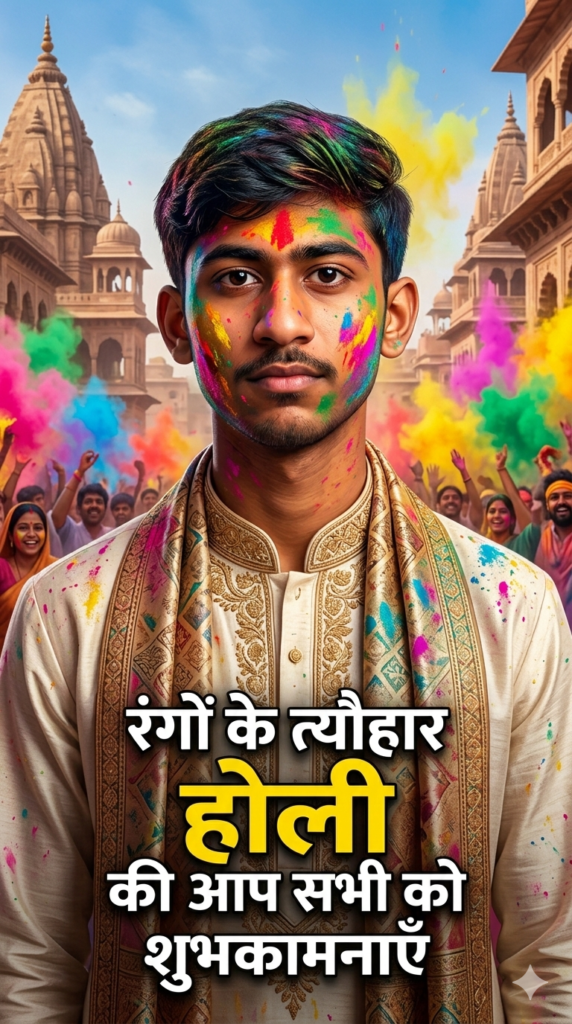
Generate a magazine cover-style Holi portrait of a man celebrating Holi 2026 in Braj Vrindavan. Use the uploaded image as base and keep the face 100% unchanged. Elegant ethnic outfit, vibrant gulal, confident pose, cinematic background. Luxury editorial lighting, premium color grading, hyper realism. Add bold cover-style Hindi headline text: “रंगों के त्यौहार होली की आप सभी को शुभकामनाएँ”. Aspect ratio 9:16, Instagram Reel optimized, next-level realism.
(Looking for more ways to celebrate without the mess? Read our full guide: Zero Mess, 100% Magic: 10 Viral AI Prompts for Cinematic Holi Portraits (With Your Exact Face!))
Conclusion
Standing out on social media requires more than just a basic filter. By merging your real identity with high-end, cinematic AI generation, you can create scroll-stopping art that looks like it took a Hollywood production crew to film. The days of accepting warped, artificial-looking faces are over.
With these 10 prompt formulas, you have the exact blueprint to dominate your Instagram feed with ultra-realistic, culturally rich portraits that celebrate the true spirit of Holi in Braj.Grab your best portrait, copy your favorite prompt from the list above, and let the vibrant energy of Vrindavan flood your feed. Don’t forget to follow us at@promptyard_ai for your daily dose of viral AI creativity!
🔥 Trending on Our Blog: Master Your AI Aesthetic
Ready to level up your AI generation skills? Explore our most popular 2026 guides to transform your digital presence:
Master Identity & Consistency
- Unlock Consistent Characters: 10 Viral “Identity Lock” Prompts for Gemini & Nano Banana (2026 Guide)
- Stop Posting Bad AI Photos: 10 “Identity-Locked” Gemini Prompts That Look 100% Real (2026 Guide)
- Stop Random Faces: 10 Viral AI Prompts to Clone Your Character in Gemini & Nano Banana (2026 Edition)
High-End Fashion & Luxury Portraits
- “Is That Real?” The Ultimate Guide to Ultra-Realistic AI Fashion Photography (2026 Edition)
- The “Billionaire Aesthetic” Blueprint: 10 Viral AI Prompts That Look 100% Real (2026 Edition)
- 10 Ultra-Realistic Men’s Fashion AI Prompts: The 2026 Guide to Cinematic Portraits
- Stop Generating “Fake” Images: 10 Ultra-Realistic AI Fashion Prompts for Consistent Menswear Portraits
- POV: You Just Hired a $5,000 Photographer (10 Viral Gemini Prompts for Ultra-Realistic Portraits)
- Visual Dominance 2026: 10 ‘Nano Banana’ Prompts That Turn Your Profile Picture into a Luxury Brand
Viral Celebrity & Pop Culture Edits
- Viral AI Trend: How to Create Ultra-Realistic Photos with Sidhu Moosewala & Diljit Dosanjh (2026 Guide)
- How to Create Viral Bollywood Selfies with Gemini AI: The Ultimate 2026 Guide (SRK, Salman & More)
- Dream AI Photo: Create Viral, Ultra-Realistic Selfies with Virat, Dhoni & Sachin (The 2026 Guide)
